Limited time: $1/month for your first year*. Buy now & save
$1/month for your first year*. Buy now & save


The Best Way to Invoice
Speed up your billing system with professional invoicing software. Spend less time on paperwork with FreshBooks’ clear, customized invoices that can be sent in a flash.
Create My Free Invoice
Download Billing Invoice Template
Small businesses need simple billing solutions that work. This downloadable billing invoice template eliminates guesswork with a professional format and customizable fields.
If you have some time and want to create your own template, we provide that option for free.
Generate Custom Invoice for Free


FreshBooks Invoice Generator
Drag your logo here, or select a file
Bill From:
Bill To:
Invoice Number:
Date:
Amount Due (USD)
$0.00
| Description | Rate | Qty | Line Total |
|---|---|---|---|
Enter an item name Describe this item | 0.00 | 1 | 0.00 |
| Subtotal | 0.00 |
|---|---|
| 0.00 | |
| Total | 0.00 |
| Amount Due (USD) | $0.00 |
Billing Invoice Template
Free billing invoice templates from FreshBooks are built for small businesses, freelancers, contractors, consultants and the self-employed. They’re made to help you send professional invoices that are a snap to fill out.

Word invoice template
Word invoice templates provide a simple solution for invoicing on a widely used program, offering compatibility with many different types of devices and software.

Excel invoice template
Excel invoice templates are easy to edit and offer formulas that make calculations a breeze. They help save time and reduce errors by doing the math for you.

Google Docs invoice template
The Google Docs invoice template makes it simple to download and customize a pre-made fillable template that’s ready to send in minutes.

Google Sheets invoice template
Google Docs invoice templates offer a collaborative experience. Different users can edit documents simultaneously, making it ideal for businesses with remote teams or client collaboration.

PDF invoice template
PDF invoice templates offer a file format that is widely used and accessible to many. These templates have the option of password protection to keep sensitive payment information secure.
More Invoice Templates by Industry
Different industries require different types of invoices. A subscription service might use recurring invoices, a contractor might invoice for a deposit for a big project and an importer might use a pro-forma invoice to bill in advance of a delivery.
Looking for more invoice template options? Browse our main invoice template page to explore a wide variety of invoice templates for different industries.
Plumbers can bill for contract labor and materials like pipes, fittings, and more with customizable plumbing invoice templates.
Make billing for installations, repairs, heating, and AC maintenance contract jobs easy with HVAC invoice templates that include breakdowns of labor and equipment costs.
With sections for labor costs and materials like paint and finishes, a painting invoice template makes it easy to generate a professional invoice for your clients in minutes.
Streamline invoice management and bill clients digitally with an e-invoice that you can send electronically.
Make billing for garden design, lawn care, and travel time easy with landscaping invoice templates that include breakdowns of labor and landscape supply costs.
Contractors can bill for seeding, mowing, turf, and more with customizable lawn care invoice templates.
You can tailor a rent invoice template to bill for commercial and housing rent as well as utilities and other included fees.
Good handyman skills are hard to find. Make sure you’re paid properly with a professional-looking handyman invoice template.
Save time on billing so you can focus on your next deep clean with free house-cleaning invoice templates.
From work like plumbing and lawn care to house cleaning and painting, free downloadable itemized invoice templates make billing simple.
Make collecting payments on real estate deals easier by providing a real estate invoice template that has predefined sections for property sold, the sale price, and the agent’s commission rate.
Billing Invoice Template vs FreshBooks
Download the free billing invoice template and instantly create and send invoices for your small business, whether you’re based in the US, Canada, the UK or beyond.
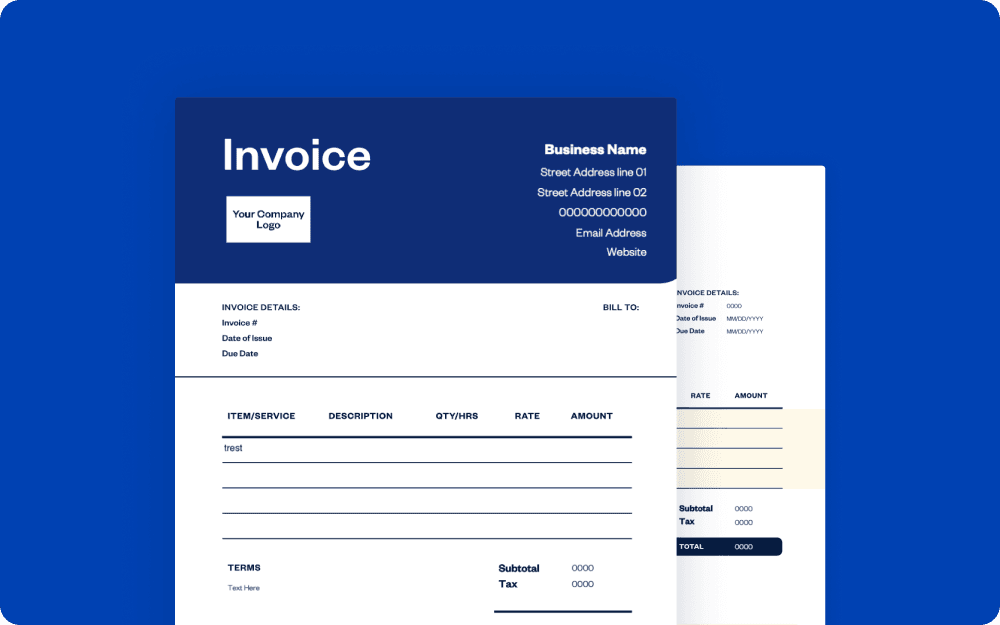
Downloadable estimate template
vs
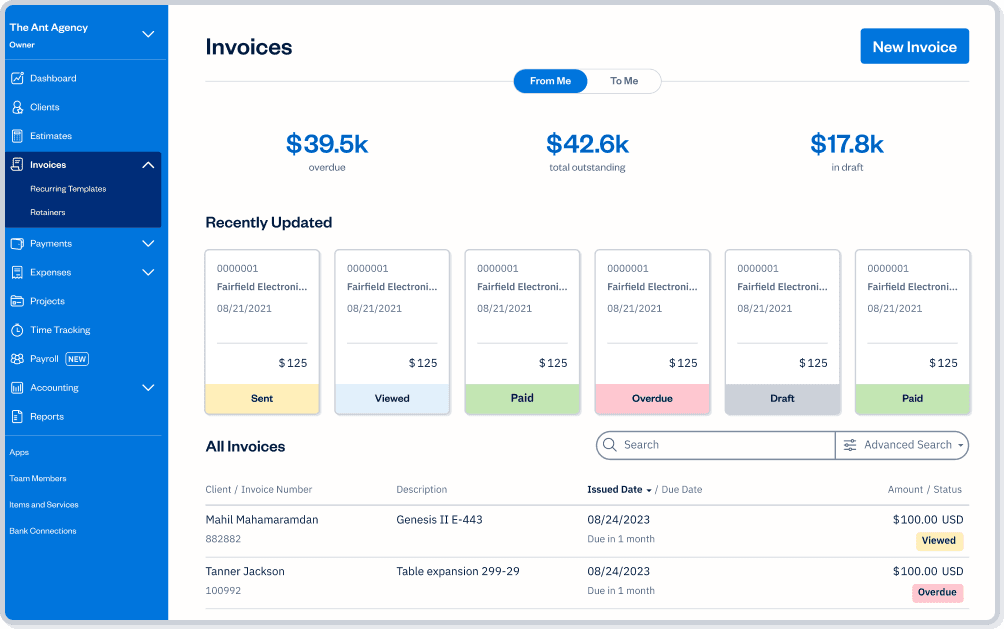
FreshBooks
| Features | Free invoice template |  |
|---|---|---|
Flexible invoice templates |  | |
Printable formats | | |
Email invoices at no cost | | |
Accept payments on invoices |  | |
Schedule invoices | | |
Automate payment reminders and late fees | | |
Manage paid and outstanding invoices | | |
Set up deposits for projects | | |
Add discounts and credits to invoices | | |
Automate recurring subscription invoices | | |
Create and send invoices via mobile devices | | |
Access your invoices FOREVER on the cloud | | |

Sign up for a free FreshBooks trial today!
Try It FreeTry It Free for 30 Days. No credit card required.
Cancel anytime.
Ready to get started?



Frequently Asked Questions
A billing invoice is used by a business to request payment from a purchaser. It is a document that establishes a written agreement—for the seller to provide certain products or services to a buyer and for the buyer to pay the seller in return.
Billing invoices can be used by anyone who is selling a product or service to a buyer. Small businesses rely on invoices to record sales transactions. These records are crucial to maintaining accurate and complete accounting and bookkeeping systems.
Create a billing invoice by following these steps:
- Download your free billing invoice template
- Add your company’s information like the official company name, contact name and address
- Include, branding, like a company logo
- Add your customer or client’s information. A full name and email address may be enough, though a street address is also a good idea
- Add an invoice number, invoice date and payment due date or terms like “net 30 days”
- Add shipping terms, if applicable. Indicate whether you or the buyer will pay for shipping
- List the services or products provided and add a brief description of each. Include prices and quantities. Be as detailed as you can
- Add sales tax, if applicable, and any other factors that affect the total like discounts, shipping and handling or credit
- Calculate the total amount
- Insert payment terms at the bottom, such as late fees, how you want to be paid and if you offer discounts for early payment
- You can now send the completed invoice online via email or print it off and mail or fax it to the client or customer